
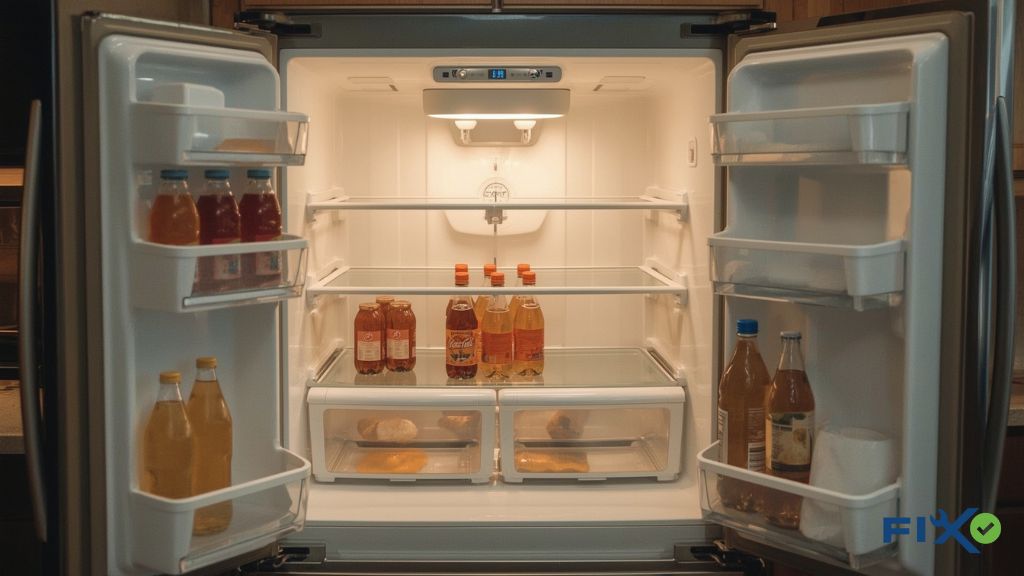
Is your GE Profile refrigerator not cooling the way it should? Don’t worry, you’re not the only one. I’ve been there, opening the fridge only to find milk getting warm and ice cream turning into soup. It’s frustrating, but the good news is that many cooling issues are simple to troubleshoot at home.
In this guide, I’ll walk you through the most common reasons a GE Profile not cooling and what you can do to get it back to normal. It might be a dirty coil, a faulty fan, or just the wrong temperature setting, I’ll help you find the fix step by step, so your food stays fresh and your fridge runs smoothly again.
What Is a GE Profile Refrigerator?
A GE Profile refrigerator is a high-end model from GE Appliances. It has premium features like smart cooling, energy efficiency, and sleek designs. These fridges are built to keep your food fresh and save energy.
GE Profile fridges differ from regular GE models. While both offer quality, the Profile line adds more advanced features. It’s designed for better performance and a modern look.
Many people choose GE Profile because it offers both style and reliability. It’s not just about how it looks, but also about how well it works over time. If you want a fridge that combines efficiency with design, the GE Profile is a great choice.
Common Signs Your GE Profile Not Cooling
If your GE Profile refrigerator isn’t cooling as it should, there are a few signs to look out for. One of the most common ones is when the fresh food compartment is warm, but the freezer is still working. It’s confusing, right? You’d expect both sides to behave the same, but it might be airflow or fan issue.
Another clear sign is when your GE fridge light is on, but the cooling isn’t happening. You might see everything lit up, but the food inside doesn’t stay cold. Or maybe your fridge is completely warm, and you’re hearing clicking sounds, or the fan isn’t running. These sounds can often mean the fan motor is failing, or something’s blocking the airflow inside.
And let’s not forget about the ice maker. If it stops making ice, there’s likely a cooling issue. I remember once when my own ice maker just wouldn’t make ice, and it turned out to be a small fan issue. It’s funny how the little things can cause such a big headache! So if your GE Profile isn’t cooling or freezing properly, please pay attention to these signs.
Why Is My GE Profile Refrigerator Not Cooling? (Main Causes)
If your GE Profile fridge isn’t cooling properly, there could be a few reasons why. Let’s take a look at the most common causes and how you can address them.
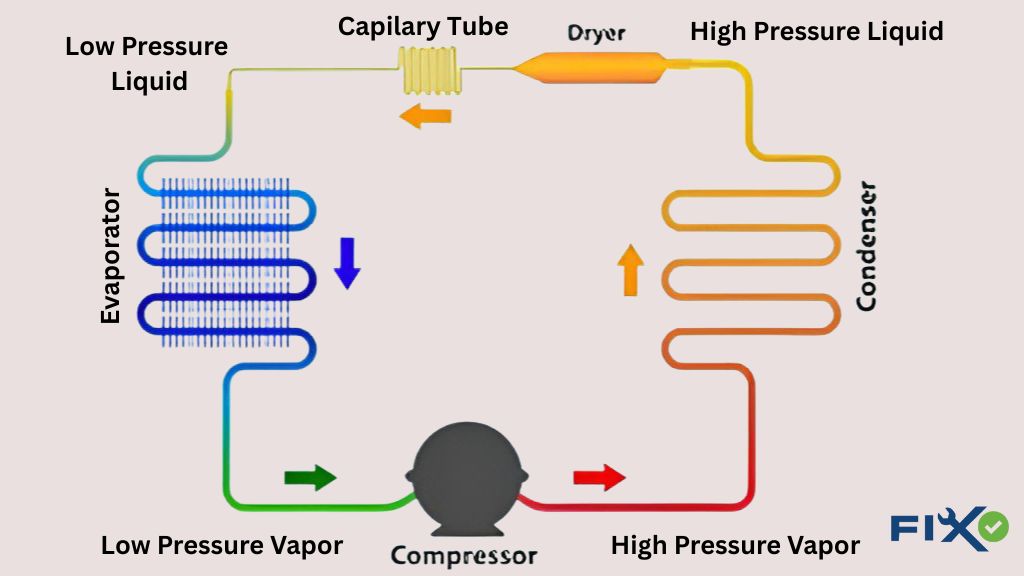
Dirty Condenser Coils
One of the main reasons a fridge stops cooling is because of dirty condenser coils. Dust and debris can block airflow, preventing the fridge from getting cold. It’s like trying to breathe through a scarf; air just can’t flow properly. Cleaning the coils is an easy fix, and it’s best to do it every 6 months to keep things running smoothly.
Faulty Fan Motor
If your fridge is warm but the freezer is fine, it could be a fan problem. A broken fan motor means there’s no air circulation, and your fridge can’t cool properly. You might hear strange noises or notice the fan isn’t running. If this is the case, you’ll need to check the condenser or evaporator fan.
Temperature Control Problems
Sometimes, the issue isn’t with the cooling system, but with the settings themselves. If the thermostat is set too high or there’s a problem with the control board or sensor, your fridge won’t cool properly. A quick check of the temperature setting and sensors might solve the problem.
Compressor Issues
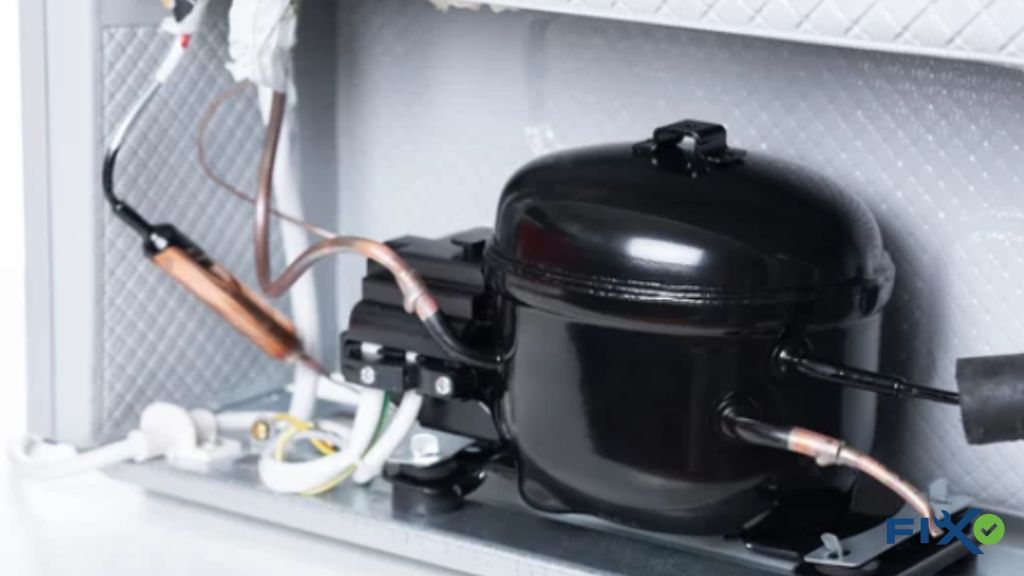
Your fridge’s compressor is responsible for keeping everything cool, but if it’s running without actually cooling, it could be a sign of trouble. If you hear clicking sounds coming from the start relay, it could indicate a compressor failure. It might need to be repaired or replaced, which is often best left to a professional.
Power or Reset Problems
Power outages can cause your GE Profile fridge to stop cooling, and it might need a quick reset to get it back on track. If your fridge stops cooling after a power issue, try resetting it by holding down the “Turbo Cool” and “Energy Saver” buttons for about 5–10 seconds. This simple fix might just do the trick!
GE Profile Refrigerator Troubleshooting & Fix
When your GE Profile refrigerator isn’t cooling, don’t panic. I’ve been there, and trust me, it’s often something simple to fix. Here’s a step-by-step guide to help you get it back to normal, so you can avoid the frustration of spoiled food and warm drinks.
- Check Temperature Settings
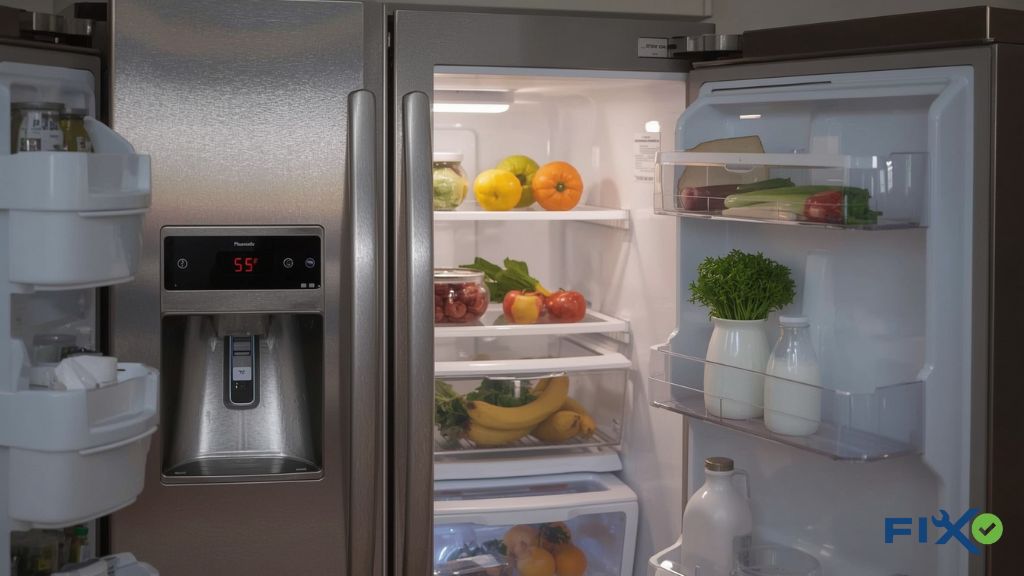
First, check if the thermostat is set to the right temperature. It may have been accidentally adjusted or malfunctioned. For most refrigerators, 37°F (3°C) for the fridge and 0°F (-18°C) for the freezer are ideal. This is a quick and easy fix that could solve your cooling problem. - Clean Condenser Coils
Dirty condenser coils are one of the most common reasons for cooling problems. Dust and dirt block airflow, making it harder for the fridge to cool down. Cleaning them is easy—just use a vacuum or a coil brush to gently remove the dirt. I clean mine every six months, and it keeps everything running smoothly. - Check If Fans Are Spinning
The fans inside the fridge help circulate cold air. If they aren’t spinning, air won’t circulate properly. You should check both the condenser fan (at the bottom) and the evaporator fan (inside). If you hear strange noises or notice they’re not turning, you might need to replace them. - Reset the Refrigerator
Sometimes, all it takes is a reset. Power surges or outages can disrupt your fridge’s cooling system. To reset it, hold down the “Turbo Cool” and “Energy Saver” buttons for 5-10 seconds. This simple step might just do the trick and get your fridge working again. - Inspect Door Seals
A common cause of cooling issues is faulty door seals. If the seals are damaged, cold air escapes, and warm air enters. You can check the seals by closing the door on a piece of paper, if it slides out easily, the seal is likely compromised. Replace the seals if necessary to keep the cold air in. - Listen for Compressor Sounds
The compressor is the heart of your fridge’s cooling system. If it’s not making any noise or you hear clicking sounds, it could be a sign that it’s failing. If you’re not familiar with compressor repairs, it’s best to call a professional to handle this. - Call a Professional if Still Not Cooling
If you’ve checked everything above and your fridge is still not cooling, it’s time to call a professional. It could be a more complex issue with the control board, compressor, or refrigerant levels. While it might be tempting to try a DIY fix, some problems require an expert’s touch.
Personal Note: I once had my GE Profile freezer working fine, but the fridge side was warm. After a quick check, I realized it was just the fan motor that needed replacing, a $20 fix that saved me a service call!
Special Cases with GE Refrigerators
Sometimes, your GE Profile fridge might show signs of cooling issues that don’t quite fit the usual patterns. If you’re experiencing something a bit different, here’s what could be happening and how to troubleshoot.
GE Profile Not Cooling but Freezer Works
If your fridge isn’t cooling but the freezer is still doing its job, it’s likely an airflow problem. A blocked vent, faulty damper, or broken fan can prevent the cool air from reaching the fridge section properly. I’ve had this happen once, and a simple fan fix got things back on track. It’s always worth checking that airflow is free and clear!
GE Freezer Not Freezing but Fridge Cold
This situation can be a bit trickier. If the freezer isn’t freezing but the fridge is cold, it’s often an issue with the defrost system. The evaporator coils could be iced over, blocking the airflow. I’ve seen this with a few models before, and it’s typically something that needs professional repair or a new defrost thermostat to get things working properly again.
GE Café or Monogram Fridge Not Cooling
If you’ve got a premium model like the GE Café or Monogram and it’s not cooling, the issues are usually similar but can be more complex. Sometimes, these high-end models need a control board replacement, especially if you hear clicking sounds or experience intermittent cooling.
It’s a little more involved, and I’d recommend calling a pro if you’re dealing with one of these models. Trust me, it’s worth the peace of mind!
Preventing GE Profile Cooling Problems
Preventing cooling issues before they happen can save you time, money, and the headache of dealing with a warm fridge. After all, it’s much easier to maintain your fridge than to fix it after something goes wrong. Here are a few simple steps to keep your GE Profile running smoothly.
- Routine Maintenance = Longer Life: Small efforts, like inspecting door seals, checking temperature settings, and listening for unusual sounds, go a long way in keeping your fridge in top shape. Regular check-ups can help you catch problems early and extend the life of your fridge.
- Regular Coil Cleaning (Every 6 Months): Dust and dirt build-up on your condenser coils can block airflow and strain the fridge’s cooling system. I make it a habit to clean mine every six months, and it makes a huge difference. A clean coil helps the fridge cool better and saves on energy.
- Keep Vents Clear for Airflow: Your fridge needs proper airflow to cool efficiently. If the vents are blocked by food or debris, then your fridge won’t get the circulation it needs. It’s like trying to run with a backpack full of bricks, nothing moves smoothly. Make sure to keep those vents free.
- Avoid Overloading the Fridge: It might be tempting to fill every inch of your fridge, but overloading it can restrict airflow, making it work harder to stay cold. Think of it like a traffic jam; the more room for movement, the smoother things go. Keep your fridge organized and give it some breathing space.
FAQs
What is the most common problem with GE refrigerators?
The most common issues are dirty condenser coils and faulty fans. These can block airflow or stop air circulation, making it difficult for your fridge to cool properly. Regular maintenance can help prevent these problems.
What is the difference between GE and GE Profile refrigerators?
GE refrigerators are the standard line, while GE Profile fridges are premium models with advanced features, better design, and smarter cooling systems. The Profile line is all about top performance and efficiency, making it a great choice for those who want more than just the basics.
Why is my GE Profile refrigerator not cooling but freezer works?
This is often due to an airflow or fan issue. It could be that the vents are blocked, or the fan isn’t working, causing the cold air to stay in the freezer but not circulate to the fridge side.
How do I reset a GE Profile refrigerator?
Hold down the “Turbo Cool” and “Energy Saver” buttons to reset your GE Profile fridge for about 5–10 seconds. This can help the fridge get back to normal after a power outage or cooling issue.
Conclusion
Most of the time, fixing a GE Profile fridge that’s not cooling is simpler than you might think. Common problems like dirty coils, a faulty fan, or an incorrect thermostat setting can be fixed with just a little effort.
I’ve been there myself one time; my GE Profile’s freezer was working fine, but the fridge side stayed warm. A $20 fan motor was the culprit, and I was able to fix it myself and save on the cost of a service call.
If it turns out the issue is with the compressor or the control board, though, I’d recommend calling in a professional. These parts are tricky, and you’ll want an expert to handle the repair. But with a bit of troubleshooting and regular maintenance, your fridge will stay cool and reliable for years to come.

My name is Barnes Johnson. I am a professional home appliance technician with over 7 years of experience in this field. I want to cover Appliance Repair & Kitchen Troubleshooting Fixing Guidelines on this blog